User manual/Engineering
Libraries
Standard symbols, project objects, versioned external libraries and inserting reusable equipment into screens.
3 min read
The Librerías section of the project tree contains reusable symbols and parameterised equipment templates. Studio calls each one a library object. Files still use faceplates/*.json and kind: "faceplate", so existing projects remain compatible.
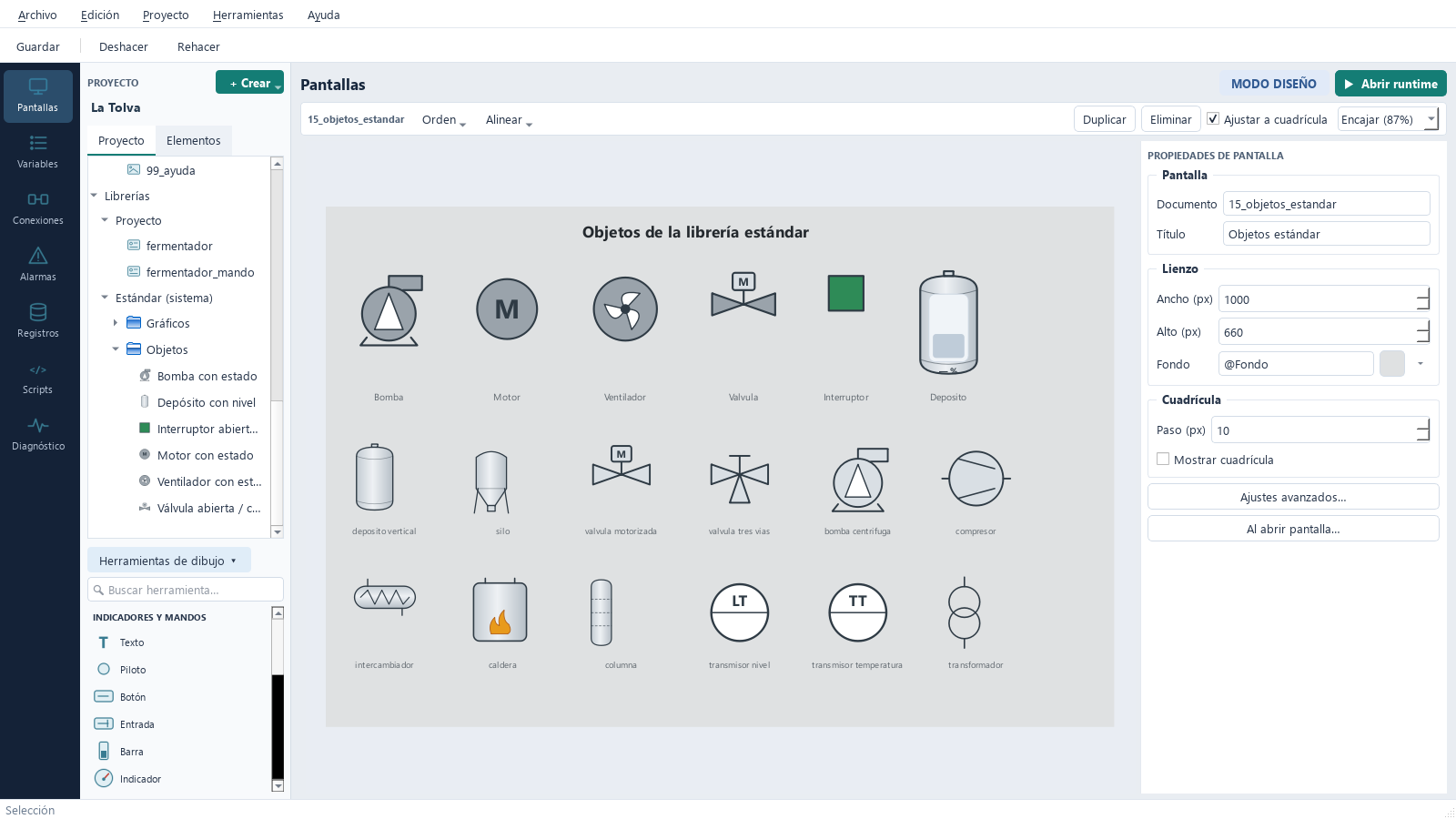
Three library sources
| Library | Storage | Editing |
|---|---|---|
| Project | Project faceplates/ folder |
Create, rename, duplicate, move into folders and delete |
| Standard | Bundled with the application | Read-only; Copiar al proyecto para modificarlo creates an editable copy |
| External | Linked *.abscada-library.json package and alias |
Fixed version, explicitly updated |
Standard library
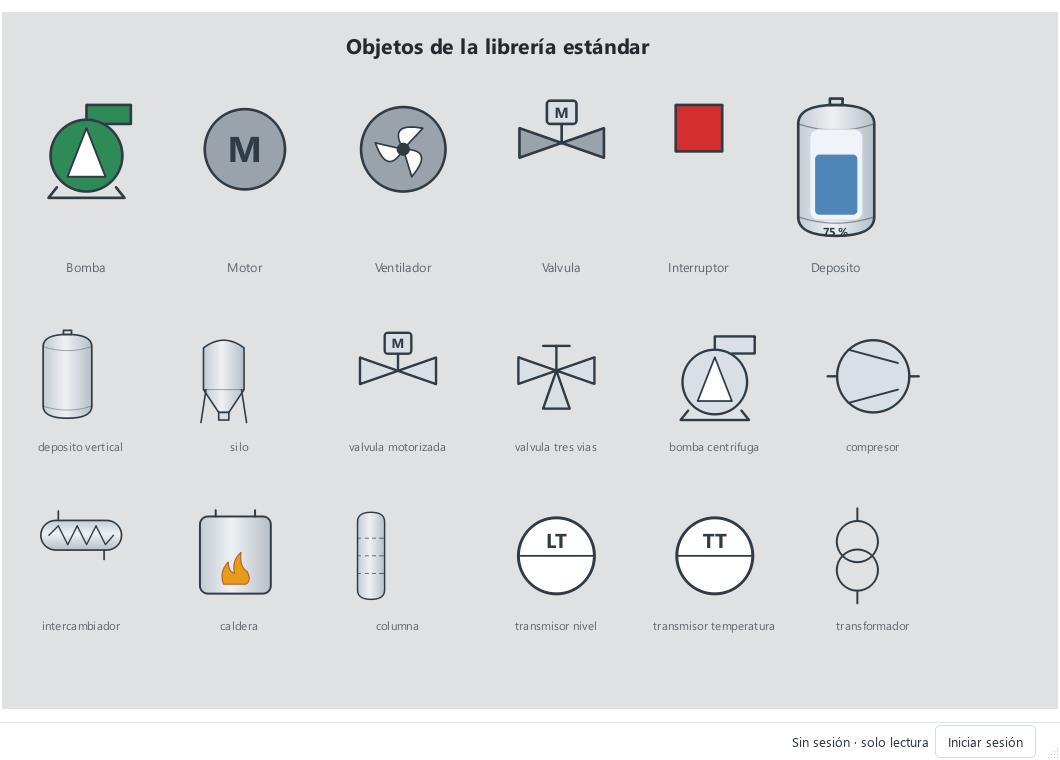
Screens reference standard objects as estandar__<object>; they are not copied into the project. Gráficos contains 35 static SVG symbols: tanks and silos, valves, pumps and motors, process equipment, instruments and electrical equipment.
Objetos contains animated symbols:
| Object | Parameters | Appearance |
|---|---|---|
| Pump, motor, fan | marcha, fallo (bool) |
Grey stopped, green running, red fault |
| Valve | abierta (bool) |
Grey closed, green open |
| Electrical switch | cerrado (bool) |
Red closed, green open |
| Tank level | nivel (float, %) |
Level bar and percentage |
Uncertain quality or communication failure appears amber. SVG graphics stay sharp when resized or zoomed. An image can also use library://estandar/graficos/<symbol>.svg.
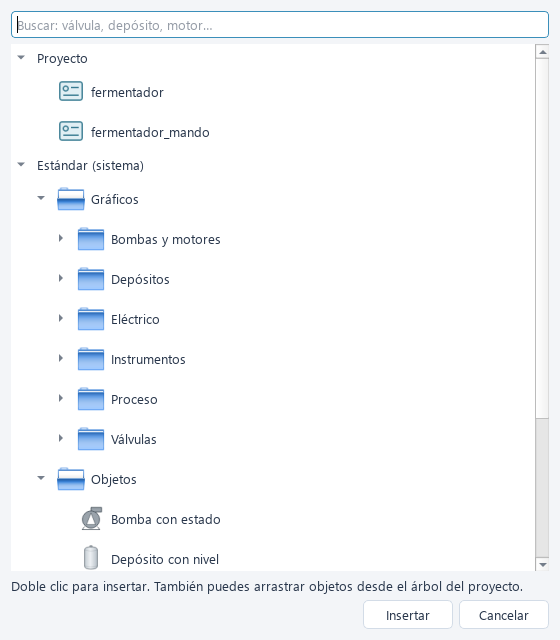
Insert an object
Drag an object from Librerías onto the canvas, or choose Objeto de librería in the toolbox. Its picker supports search; double-click an item or press Insertar.
Studio asks you to bind each parameter to a variable of the matching type. Bindings can later be changed in the inspector. Objects without a background render without a frame.
Project library
Use + Crear → Objeto de librería… to create a template with a name, title and dimensions. Edit it like a screen, but declare parameters in Ajustes avanzados… with types bool, int, float or string. Elements, dynamics and visual states reference $parameter, such as $marcha or $nivel, instead of project variables.
Right-click the project library to create, rename or delete folders. Deleting a folder moves its contents up a level. Drag objects between folders or use Mover a carpeta. Folders only organise Studio; Runtime ignores them. Double-click a screen instance to open its template.
Equipment pop-ups
A button using Abrir objeto de librería emergente opens a template in its own window with the supplied parameters. A button inside an object can forward its own parameters ($marcha), so each pump can open its own detail window without a separate screen per pump.
External libraries
- Open Proyecto → Librerías externas… → Vincular… and choose a package.
- Assign an alias, such as
equipos. The tree displays the alias and version. - Drag objects such as
equipos__valvulaonto the canvas and bind their parameters. - Use Actualizar desde… to select a new version. Incompatible parameter or object changes in use are rejected.
The project stores a complete snapshot with a SHA-256 fingerprint, so it works even if the original package disappears. See Creating libraries to publish your own.
Current limits
Library objects cannot contain nested library objects or trend/alarm viewers.