User manual/Operation
Operating with Runtime
Starting operation, writing values, navigating and reading the status bar.
2 min read
Starting
- From Studio: Open runtime runs the selected document. Show runtime focuses the existing run.
- Without Studio:
python -m abscada my-plant --runtimeopens the project's startup screen. - Without a UI:
python -m abscada my-plant --headless --seconds 30acquires and prints values to the console.
Runtime works on a copy of the project taken at start-up. Studio changes appear after closing and reopening it.
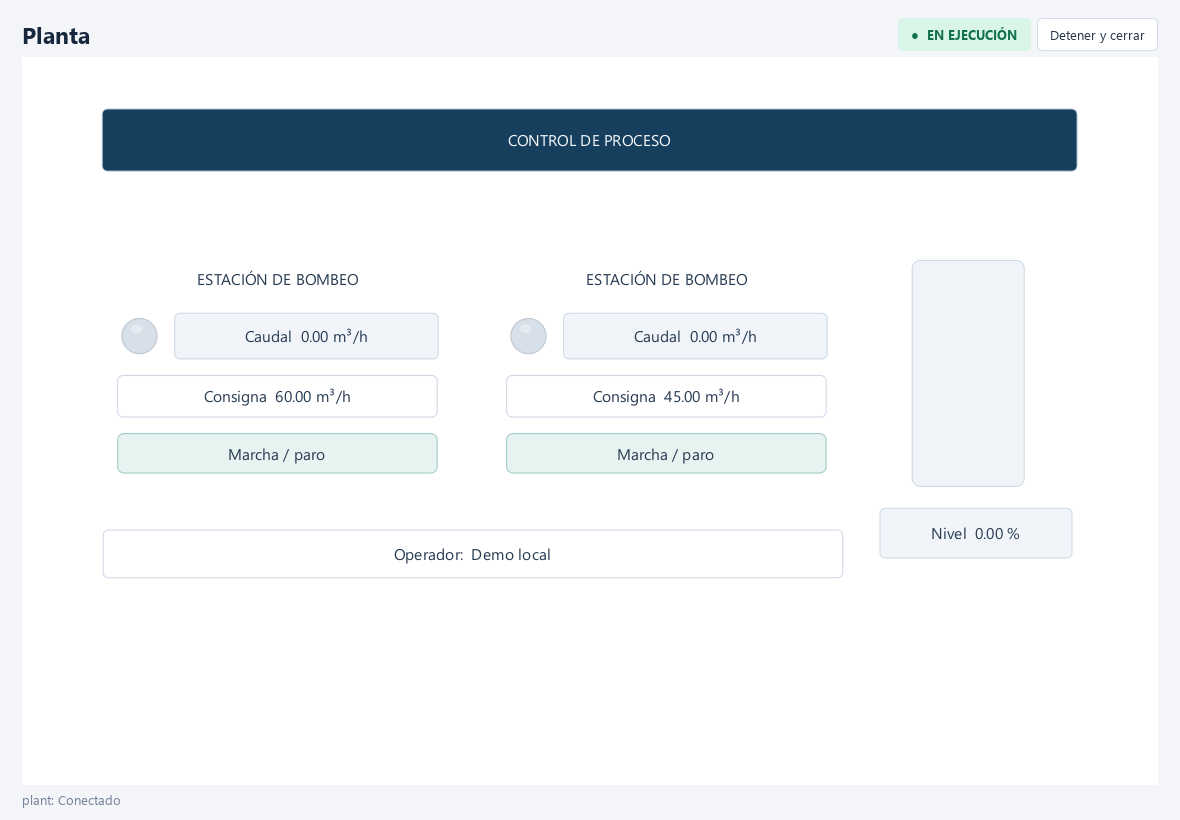
Interacting
| Action | How |
|---|---|
| Write a value | Double click an input |
| Toggle / command | Click a button |
| Navigate | Buttons with the Open screen action |
| Open details | Buttons with the Open pop-up action |
| Acknowledge alarms | Alarm viewer → ACK |
Runtime shows only what you designed: no automatic tabs or menus. Navigation is defined by the project's buttons.
Writes
Writes are explicit commands. Type, permission and good quality are checked before sending. If the connection is unavailable the command is discarded and logged: it is not replayed on reconnect. The displayed value updates with the subsequent read, not with the send.
Status bar
Shows the state of each connection, write errors and archive service warnings (queue full, SQLite error, disk full). An archive failure is never confused with a PLC failure.
Closing
Closing the Runtime window stops communications, scripts and logging and closes its pop-ups. Closing Studio also stops its Runtime.
Session and permissions
With security enabled, Runtime starts without a session and is read-only. Use Iniciar sesión in the status bar. Commands require operate or the control permission; alarm acknowledgement requires acknowledge. Pop-ups share the session and inactivity logout follows the project policy. Auditing identifies the user and command origin. See Users and roles.
Runtime can also publish variables through its OPC UA server; those sessions use their own accounts and permissions. Library objects display bound parameters and process quality.
Switch language
Use the language selector or a configured button. The selection applies to all windows and containers without restarting communications, closing popups or rerunning opening scripts. See Project languages.