01
Design
Drag controls, draw pipes and compose layouts with a fixed header.
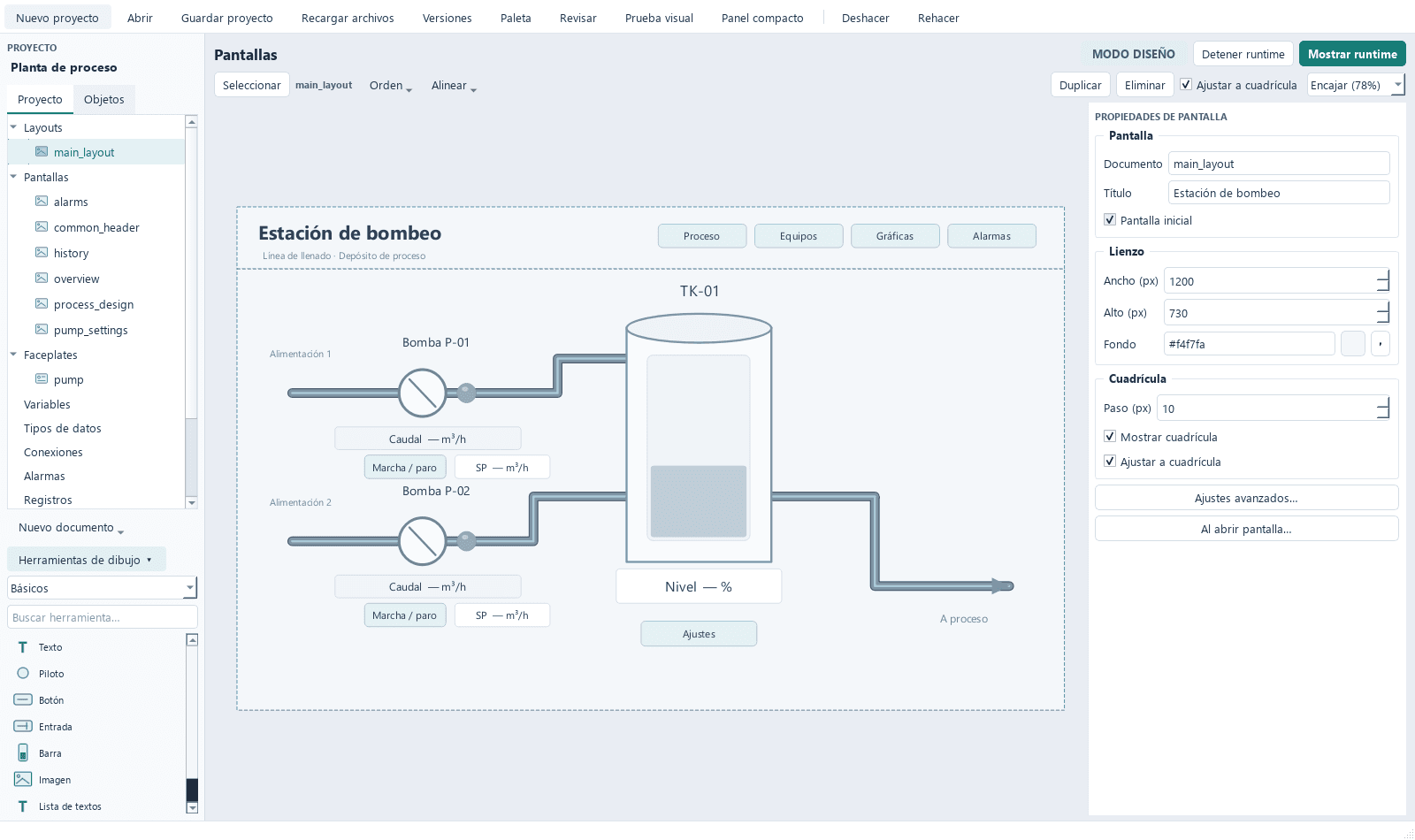
Design screens, operate equipment and log industrial processes from your desktop.
Your projects use readable files. Review them, edit them and move them to another computer.
Open source under GPL-3.0-or-later.
Editor with an inspector, layers, alignment, pipes, layouts and 100 undo levels.
Operate in a separate window. Design changes take effect when runtime restarts.
Connect over S7, ADS, Modbus TCP and OPC UA with signing and encryption. Configure bindings with forms; each connection acquires independently.
Hysteresis, delays, priorities and ACK with comments. Losing communication is never mistaken for the process returning to normal.
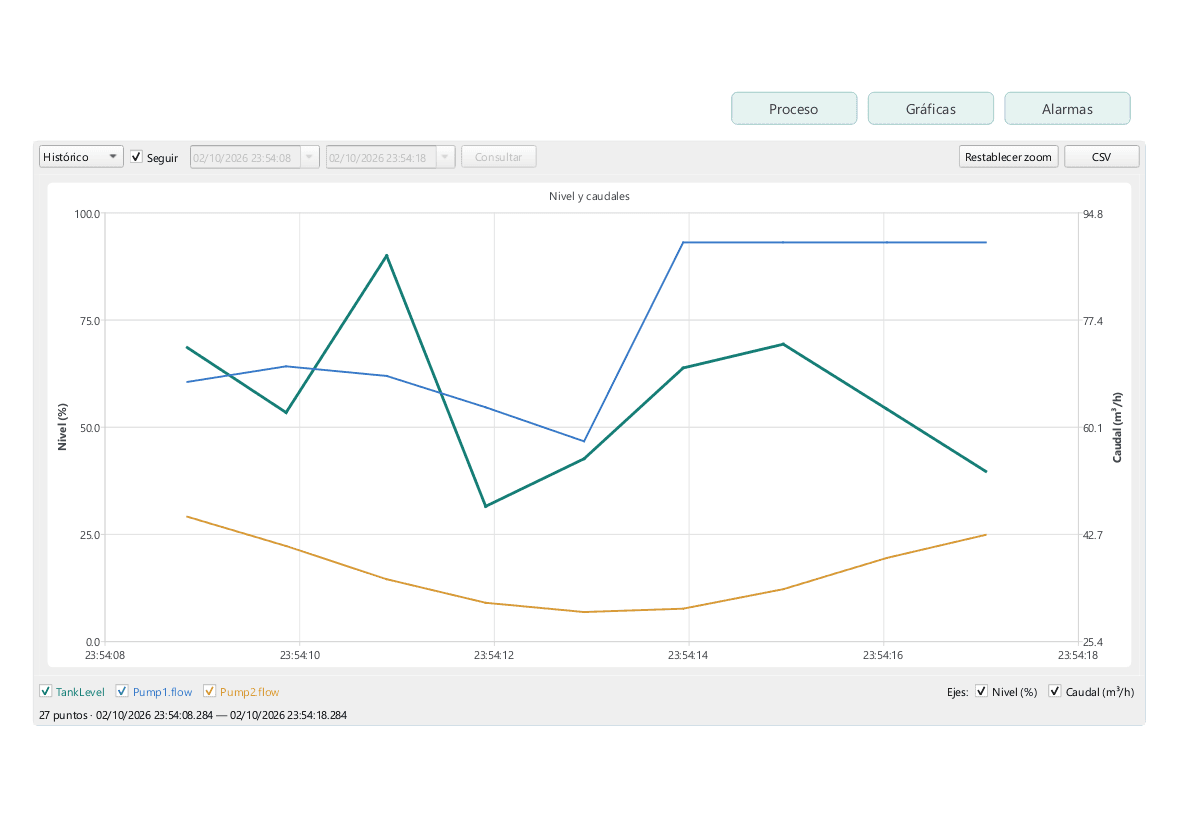
Daily logging, automatic retention, trends with up to 8 axes and original data export to CSV.
Event-driven scripts and periodic tasks in separate processes with time limits.
Standard symbols, project objects and versioned external libraries. Drag objects onto the canvas and bind their parameters.
Accounts, role and control permissions, lockout after failed attempts and command auditing.
Write and translate project texts in several languages. Switch language in runtime without restarting acquisition or closing windows.
JSON projects and automatic Git versions. Review history and compare changes with any editor.
Drag controls, draw pipes and compose layouts with a fixed header.
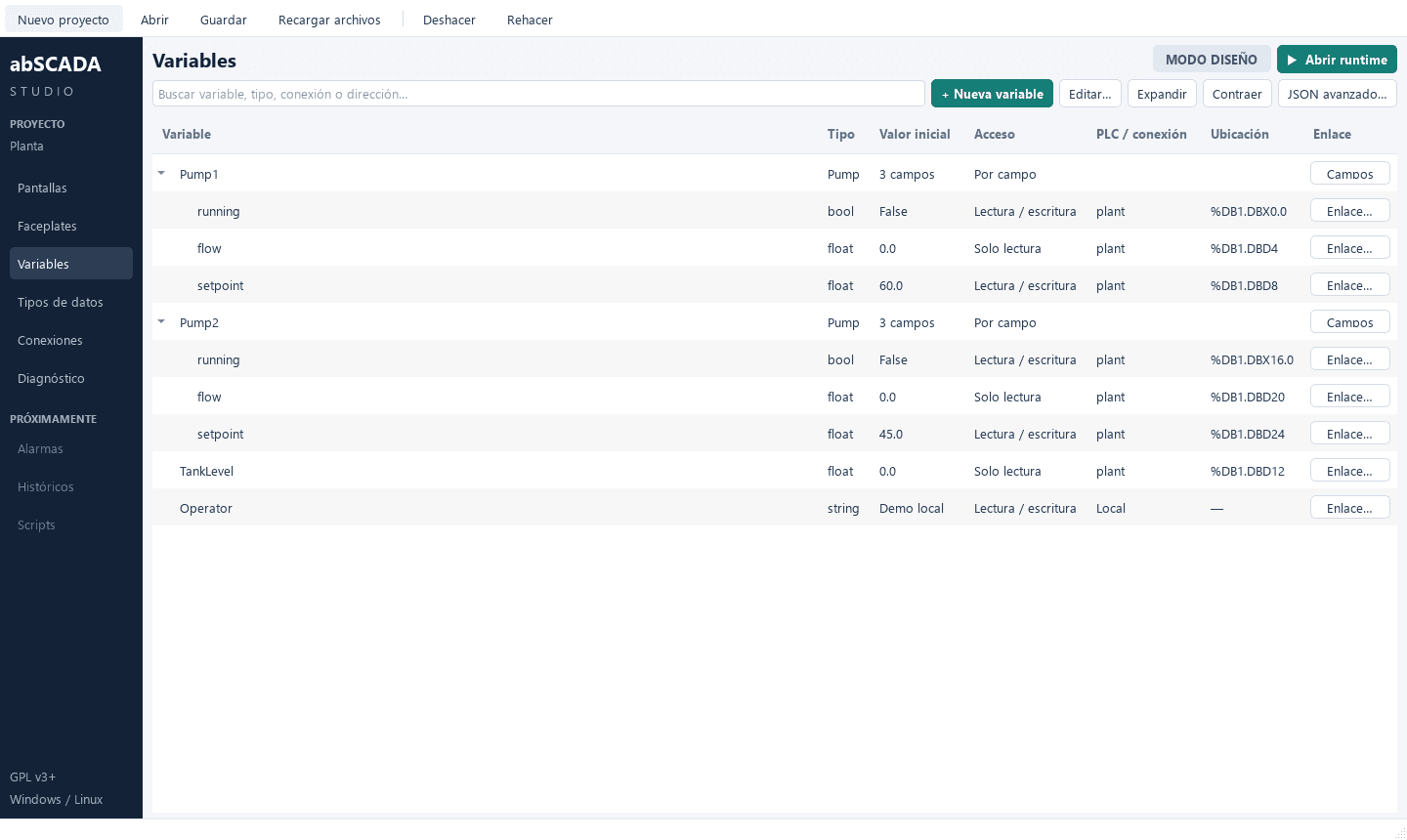
Variable structures bound field by field to Siemens DBs or Modbus registers.
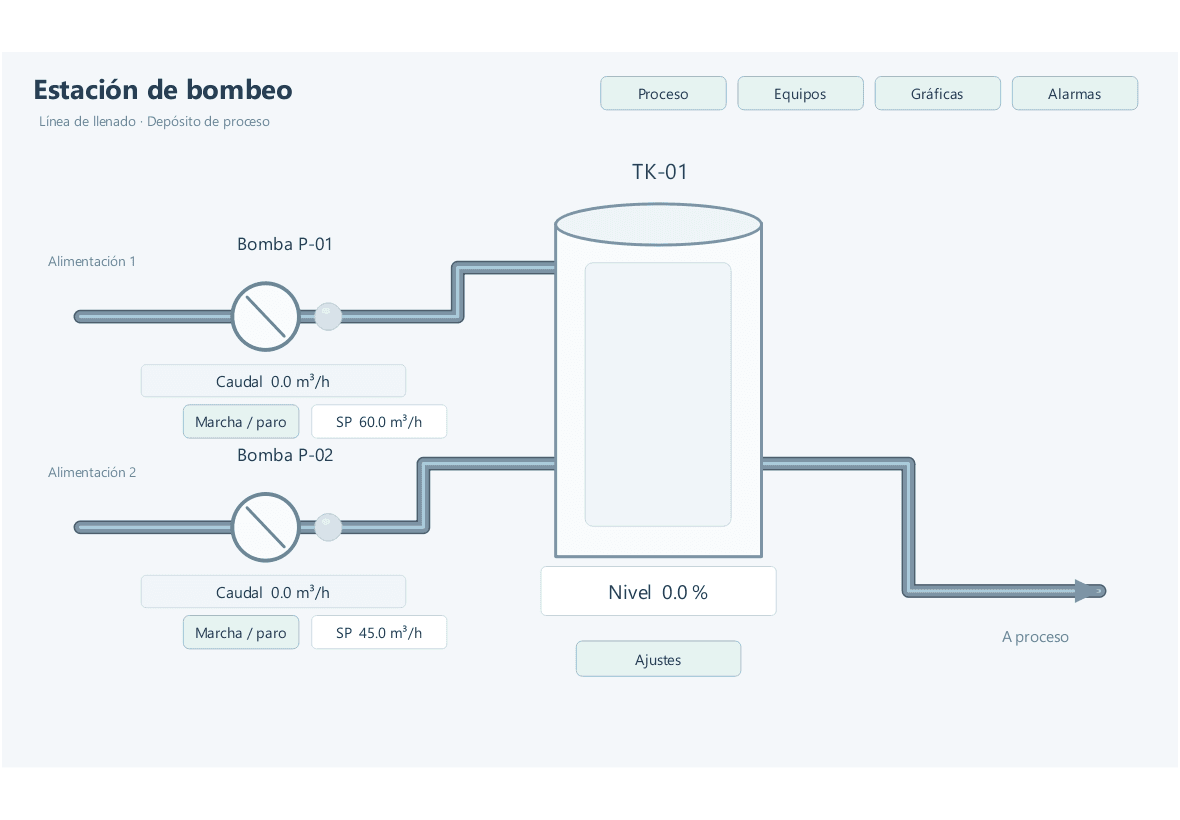
Open Runtime in its own window and operate with live values and visible quality.
Real-time and historical trends with cursor, zoom and multiple axes.
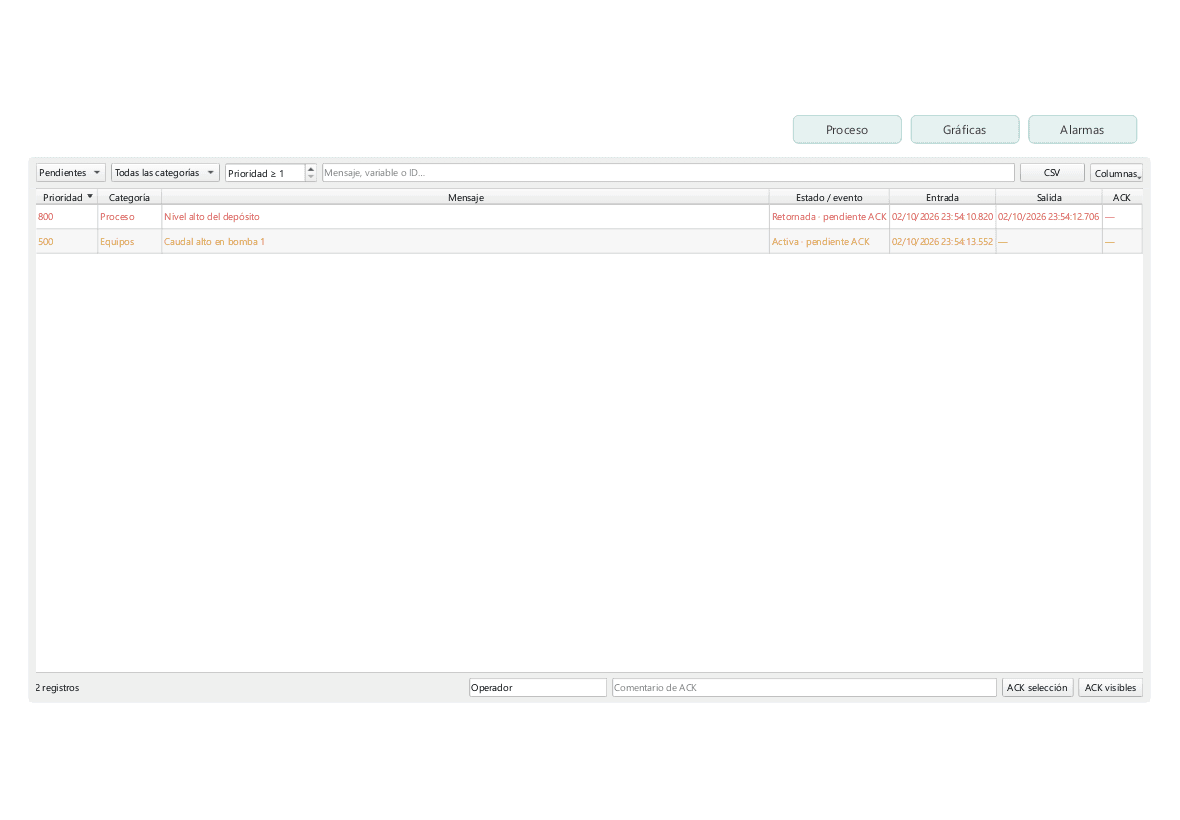
Pending, active, history and events. ACK with operator and comment.
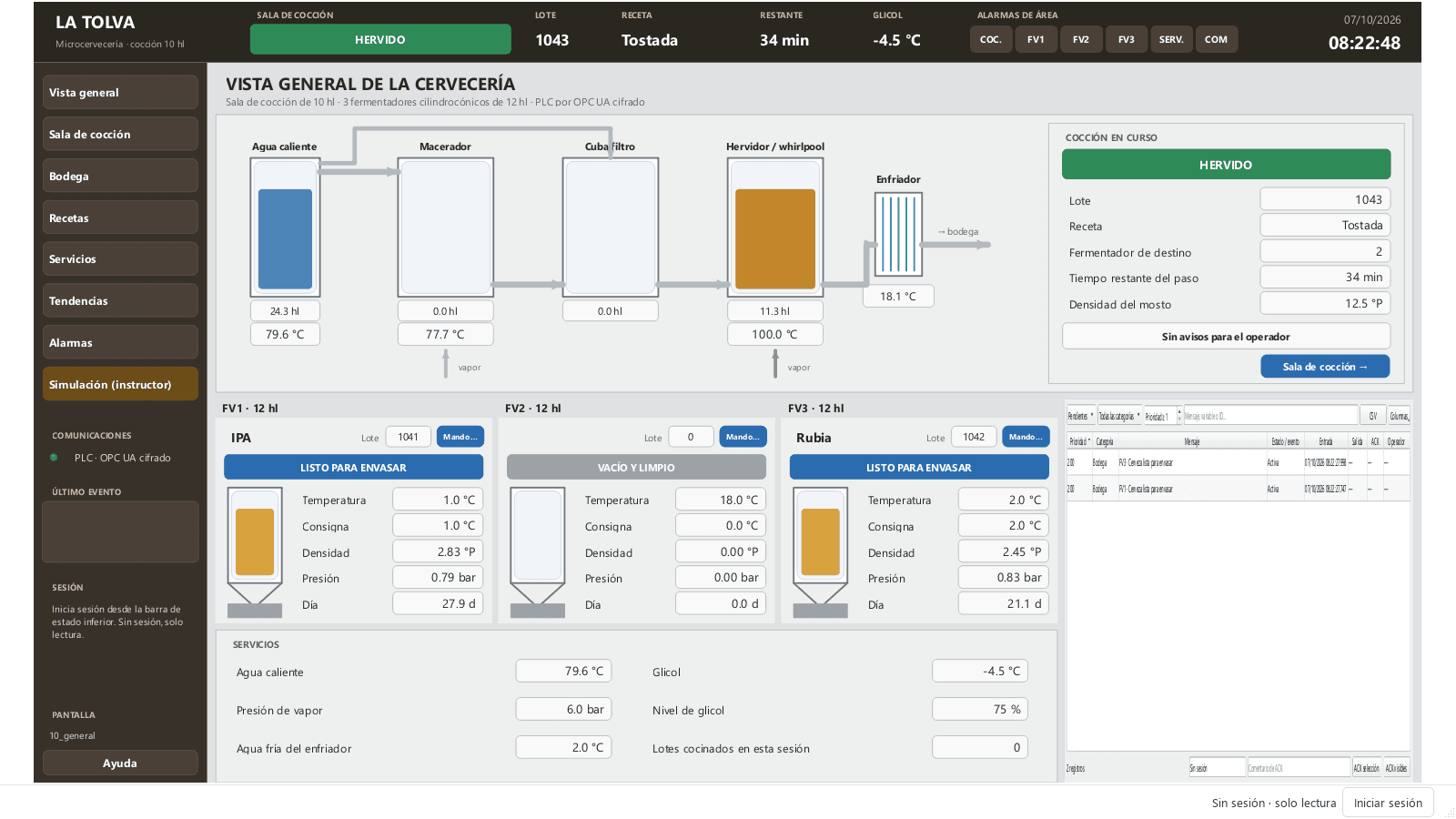
La Tolva simulates a brewery with recipe-driven brewing, three fermenters, encrypted OPC UA and role permissions.
screens
tags
alarms
user roles
in licences.
tags at no extra cost.
ready-to-use control types.
axes per trend.
undo levels.
native industrial protocols.
Python scripts with a clear API, version-friendly JSON projects, packaged object libraries and a simple contract to add new protocols.
1# Tarea cíclica cada 1000 ms · periodic task2level = ctx.read("Tank.level")3running = ctx.read("Pump1.running")45if level > 90.0 and running:6 ctx.write("Pump1.running", False)7 print(f"Paro por nivel alto: {level:.1f} %")89ctx.state["last_level"] = level
See available features and planned work.
MVP
Studio & Runtime
Acquisition
SCADA features
Libraries, users and OPC UA
Industrial
The package includes the application and examples.
Version 0.5.0b3 · 63.1 MB
Download the ZIP of the latest version.
Unzip it into a folder, for example Documents\abSCADA.
Open abscada.exe and pick an example with its simulated PLC.
Windows 10 or 11, 64-bit. Unsigned beta release. All versions on GitHub
Library authoring kit
Authoring project, published package and specification in one ZIP.
“equipos” library 1.0.0
Unit and valve faceplates with parameters, commands and state images.
Library specification
Full contract of controls, properties and dynamics (Spanish).
GPL-3.0 license
Full text of the engine license.