User manual/Security
Users and roles
Runtime login, permissions, accounts, password policy, auditing and project storage.
3 min read
Projects do not require login by default. When security is enabled, Runtime starts without a session, in read-only mode, and requests credentials when someone attempts a command. Configure it under Proyecto → Usuarios y roles….
Policy
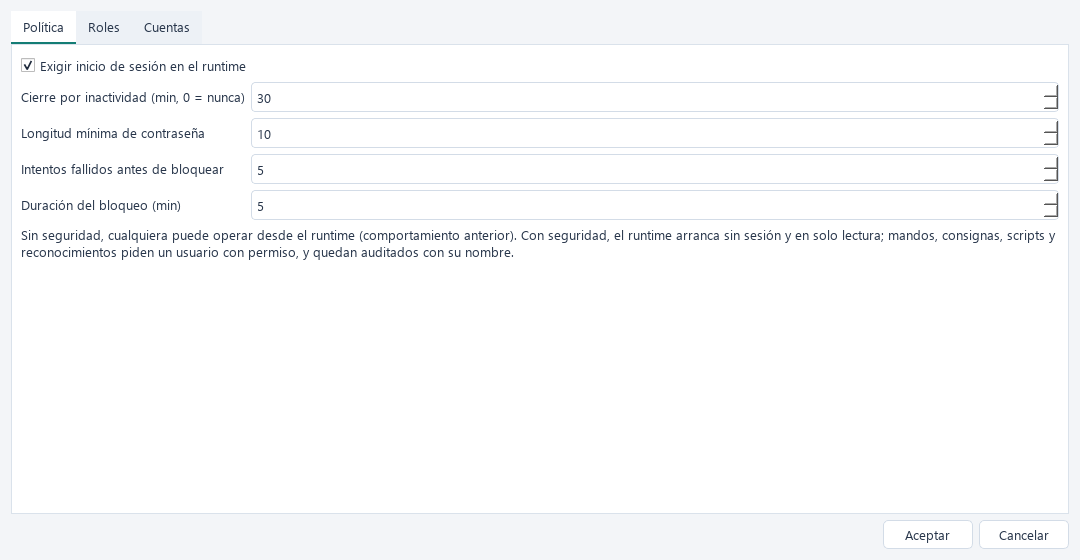
| Setting | Purpose |
|---|---|
| Require runtime login | Enables security |
| Inactivity logout | Minutes before logout; 0 disables it, default 15 |
| Minimum password length | Default 10 characters |
| Failed attempts and lockout | Temporarily blocks an account after repeated failures |
Passwords cannot equal the username or be too simple.
Roles and permissions
A role is a set of permissions. Create the roles you need and select their capabilities.
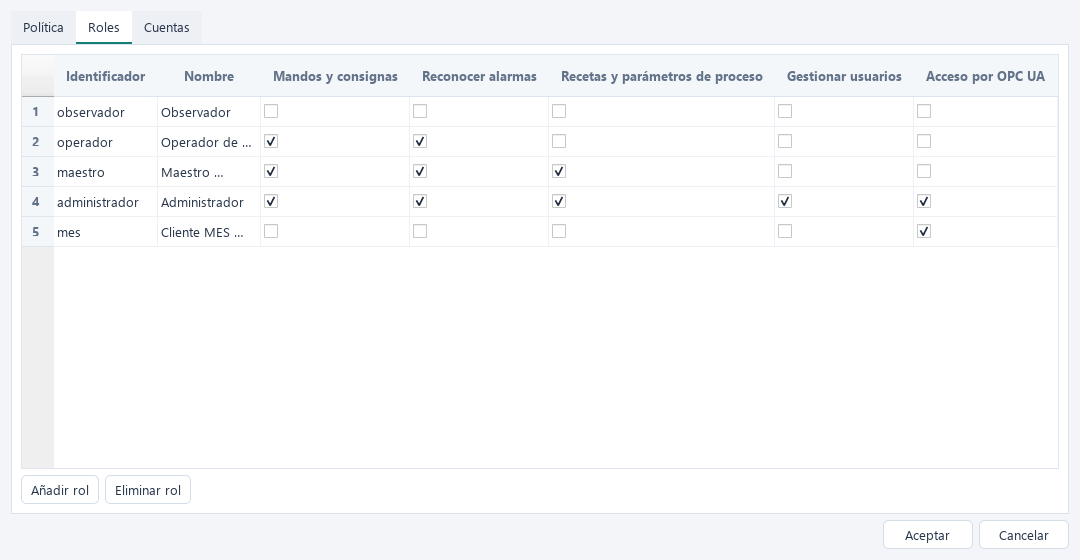
| Permission | Key | Allows |
|---|---|---|
| Commands and setpoints | operate |
Writing buttons, inputs and button scripts |
| Acknowledge alarms | acknowledge |
ACK in alarm viewers |
| Recipes and process parameters | recipes |
Controls you explicitly assign; none require it by default |
| Manage users | manage_users |
Creating and modifying accounts |
| OPC UA access | opcua |
Login to abSCADA's OPC UA server |
Navigation does not require permission: everyone can view all screens.
Per-control permission
Buttons and inputs can require a specific permission instead of operate. For example, reserve recipe changes for the brewmaster:
{"id": "save", "kind": "button", "action": "set", "tag": "Recetas.OrdenGuardar",
 "value": true, "permission": "recipes"}
Accounts
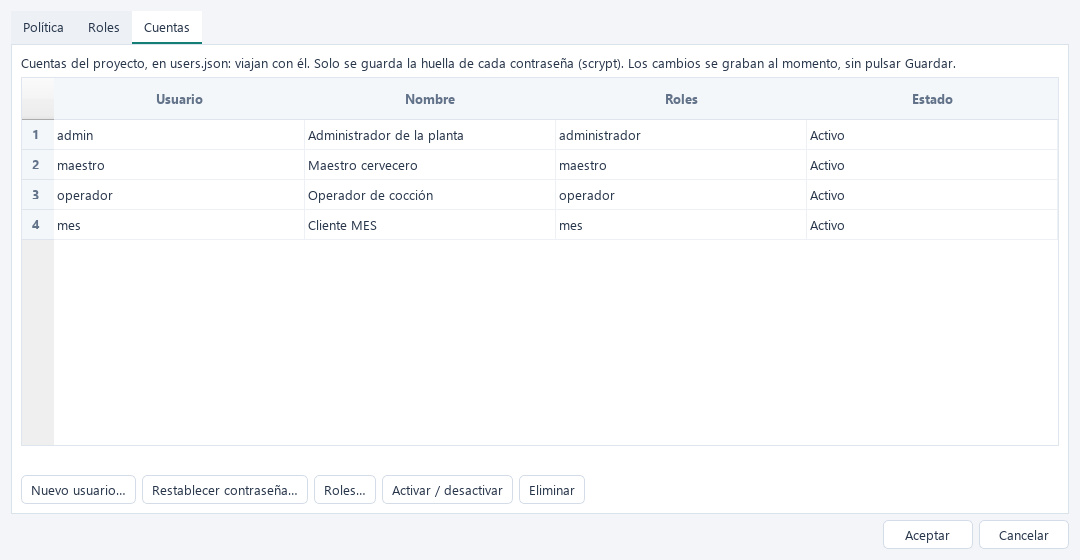
Nuevo usuario… asks for username, full name, password and roles. You can require a password change at first login, reset passwords, change roles, disable or delete accounts. Before enabling security, create at least one account with Gestionar usuarios: Studio prevents leaving the project without an administrator.
Runtime sessions
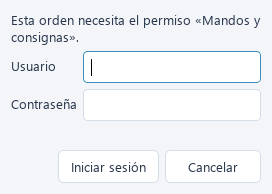
- The status bar shows Sin sesión · solo lectura or the active user, with login/logout controls.
- A command without permission requests login with the required permission. Denied commands are rejected and audited.
- Pop-ups share the main window's session.
- Inactivity closes the session according to policy.
Audit
The audit records login/logout, failed attempts, commands with their user and origin (HMI, OPC UA or script), and denied commands. Alarm acknowledgements carry the session username. Consult the event viewer or export the archive through Herramientas → Copia de seguridad de los registros.
Storage
| File | Contents |
|---|---|
security.json |
Policy and roles |
users.json |
Accounts, roles and scrypt password hashes, never the passwords |
secrets.json |
Connection passwords, encoded but not encrypted |
pki/ |
Project OPC UA certificates and trust lists |
These files travel with the project. Accounts and connection passwords are saved immediately, without pressing Save: Runtime also updates accounts when operators change passwords. Failed-attempt counters and lockouts live in runtime memory only.
Protect the project
A copy of the project or its repository includes account hashes, PLC passwords and OPC UA private keys. Use long passwords, restrict access to folders and repositories, and do not publish real projects.
Not a safety function
Users control who operates the SCADA. Process interlocks and protections belong in the PLC.