User manual/Engineering
Visual states
Visibility, enablement, per-state colours and momentary commands without writing code.
2 min read
Propiedades dinámicas (dynamic properties) lets an object change its appearance with the process, without Python or JSON. Select an object and click Propiedades dinámicas… in the inspector. The Apariencia tab gathers on one page the normal look, the states driven by variables, the bad-quality look and the disabled look (and the lamp colours), in the order they are applied.
Three kinds of condition
| Condition | Effect |
|---|---|
| Visible | Shows or hides the object in Runtime |
| Enabled | Allows or blocks the command, with a visible reason |
| States | Changes colours or text when a comparison holds |
Each condition compares a variable with a value: equal, not equal, greater, greater or equal, less, less or equal. Numeric comparisons are only allowed for numbers.
Order of application
- Base properties of the object.
- Normal appearance.
- The first state whose condition holds.
- Bad-quality style.
- Disabled style.
Each step only overrides what it defines. Order states from highest to lowest priority: Fault before Running, for instance.
Example: pump with running and fault
| State | Condition | Style |
|---|---|---|
| Fault | Pump1.fault = true |
Red background, text “FAULT” |
| Running | Pump1.running = true |
Green background |
| Default | — | Grey background |
| Bad | quality not good | Amber background |
Momentary commands
A button with the Momentary action writes true on press and false on release. Press/release writes two different values. Runtime tries to release the command when focus is lost, on navigation or when the window closes.
Not a safety function
A disconnection can prevent the release from arriving. Interlocks and emergency stops belong in the PLC.
Visual test
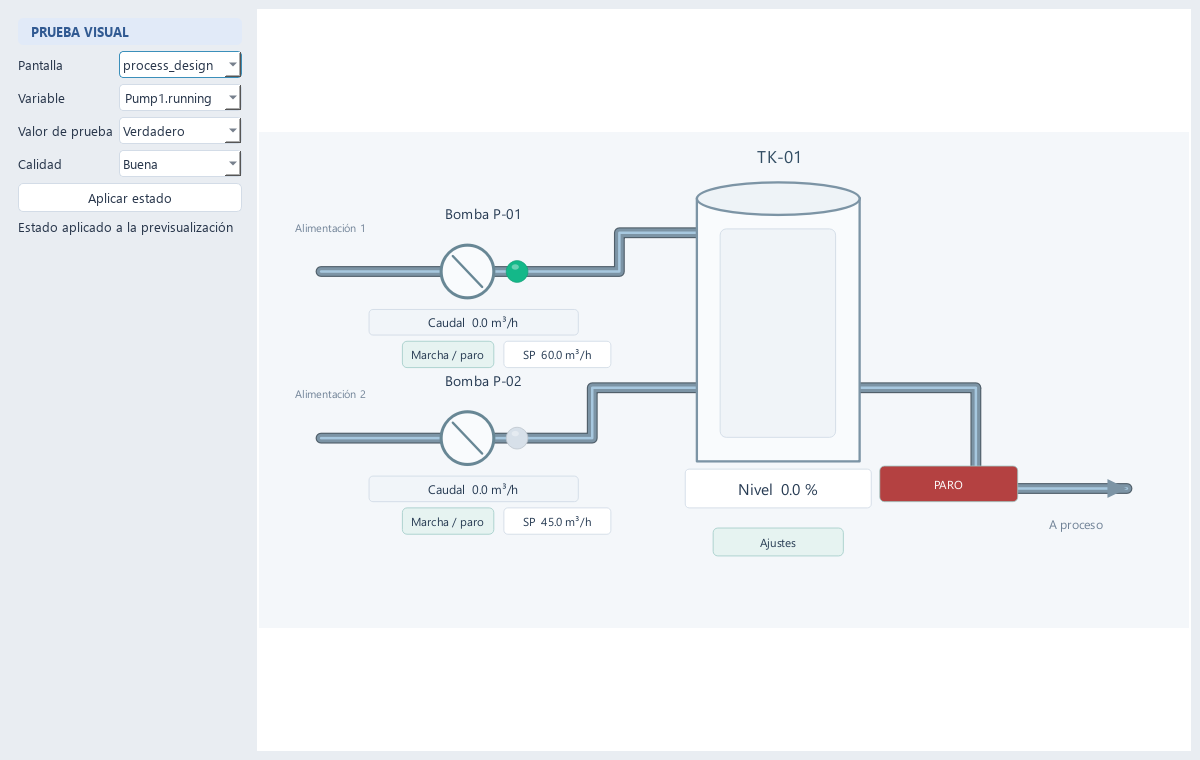
Visual test opens an isolated preview where you can force variable values and quality to check every state without connecting equipment or starting a Runtime.